
Account
Delete your account
You can delete your Fern Basket account, and the data linked to it, at any time.
In the app
-
Open The Fern Basket and go to Settings → Data & privacy.
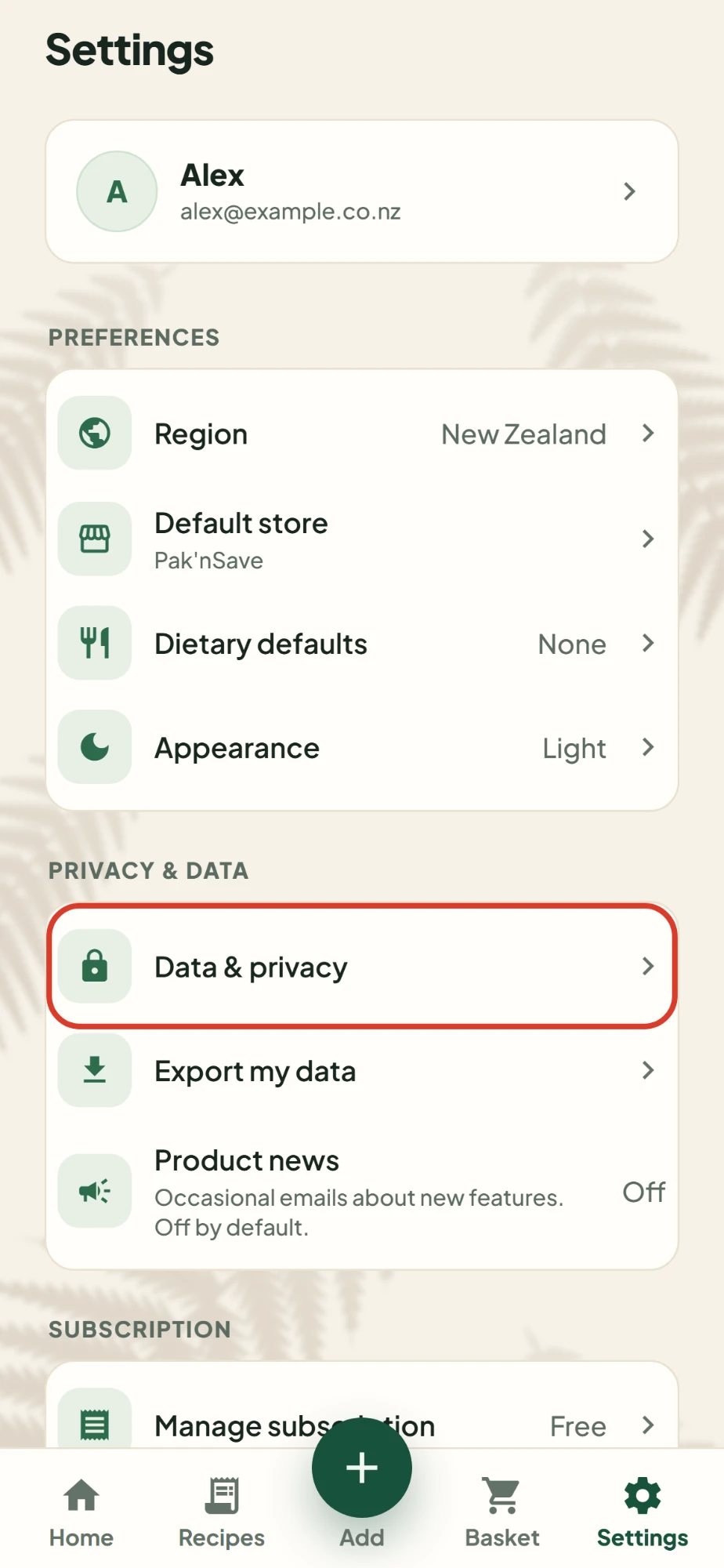
-
Tap "Delete my account and data".
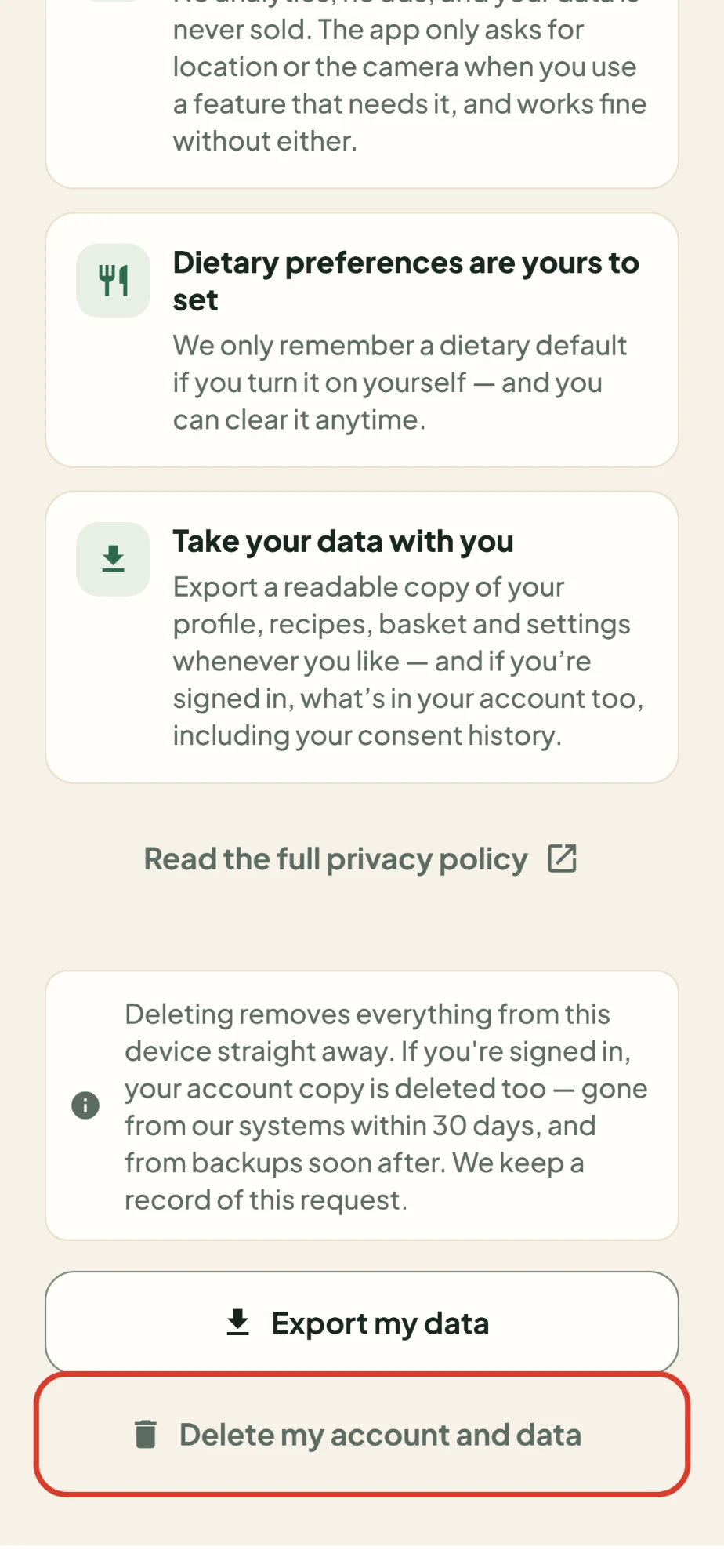
The app asks you to confirm. Tap Delete everything.
This wipes the app on that phone and deletes your account. Everything is gone from our systems within 30 days, and from backups soon after.
Without the app
Email support@thefernbasket.com from the email address you sign in with, with the subject "Delete my account". We'll confirm by email and delete your account within 30 days. We only act on requests sent from the account's own address, so nobody else can delete it for you.
What's deleted
- Your account and its email address
- Your synced recipes and the crates you sort them into, your basket and settings, including your name, suburb, default store and any diet setting
- Everything the app kept on that phone, including what your shops cost
- Your consent records and monthly import counts
- Your subscriber record with RevenueCat, which manages subscriptions for us
Recipes we kept from your link and video imports are deleted with your account. Copies in our providers' backups age out on their own schedule, usually within 7 to 35 days.
What we keep
A record that you asked us to delete your account, and that we did. It holds only an ID that no longer points to anyone.
Subscriptions
Deleting your account doesn't cancel a Premium subscription. Cancel it in the store you bought it from:
- Google Play: open the Play Store, tap your profile picture, then Payments & subscriptions → Subscriptions.
- App Store: open Settings, tap your name, then Subscriptions.
Questions? Email support@thefernbasket.com. Read our Privacy Policy.